
Designing a Universal Unit Converter for Everyday Use
Project overview
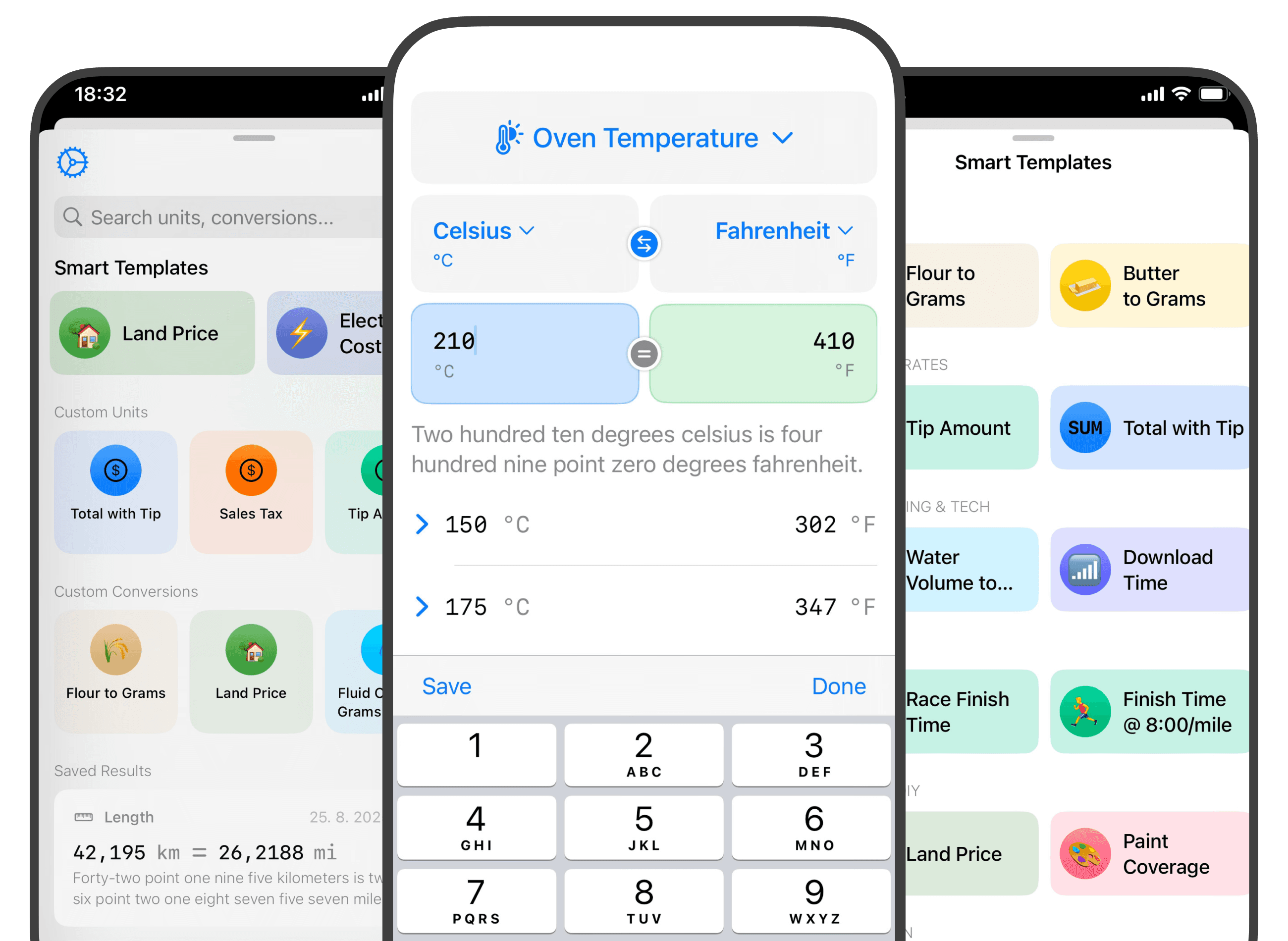
UnitKit is a modern iOS app that makes it easy to convert between all sorts of measurement units. It’s designed to be powerful, flexible, and incredibly simple to use—bringing together the utility of classic converters with customizable features tailored for everyday life, work, or specialized hobbies.
Project duration
Aug 2025 – Present
The product
Whether you’re working on home improvement, a science assignment, or a new recipe, UnitKit is made to make conversions fast and seamless. The app includes dozens of standard units (length, mass, temperature, etc.), a powerful search, and a unique feature: creating custom units and rules for conversions—even niche or hobby-based needs.
UnitKit is available on the Apple App Store.
The problem
Most unit converters are cluttered, slow, or too limited for real-life scenarios. Many users want a tool that’s:
- Simple for quick conversions (no fiddling with complex menus)
- Capable of custom, niche units for work or hobbies (like woodworking, education, or engineering)
- Always available, synced, and feels like a native iOS app
The opportunity
- Everyday tasks (DIY, recipes, science, shopping) require fast and reliable conversions
- Users increasingly need flexibility—custom units, history, and ease of sharing results
- A “native” iOS-first product means: fluid UI, iCloud sync, privacy, and support for the latest Apple features
The goal
Create the most usable and modern unit converter for iOS—one that:
- Covers all the standard units people need
- Empowers users to define their own units and conversion rules
- Makes every interaction fast, friendly, and intuitive
- Syncs everything safely with iCloud for seamless use across devices
My role
Sole designer and developer (iOS, SwiftUI).
Responsible for: product design, UX, UI, prototyping, development, App Store launch, user support, and marketing.
Responsibilities
- Researching user needs for conversions (surveys, competitive analysis, App Store reviews)
- Designing UI/UX: quick-access keyboard, favorites, history, and “create custom unit” flows
- Prototyping interactions in SwiftUI
- Implementing iCloud sync & data model for reliable, private cloud storage
- Testing for edge cases (accuracy, rounding, rare or large units, etc.)
- App Store launch: screenshots, ASO, marketing copy
- Handling user feedback and rolling out updates
The result
UnitKit delivers on its promise:
- Effortless conversion between dozens of units
- Custom units: Users can add and reuse any personal conversion they need
- Persistent history: All your past conversions, searchable and synced
- Instant sharing: Copy to clipboard, share your results, or use in other apps
- iCloud sync: Everything stays up-to-date
- Beautiful, native UI: Optimized for iOS with accessibility and dark mode
What I learned
- Custom units are a top niche feature—many users have at least one “non-standard” conversion they need again and again
- iCloud sync is non-negotiable for serious utility apps: users expect their data everywhere
- ASO and visuals matter: Clear App Store screenshots and a punchy description improve downloads
- Regular, small updates lead to better user engagement and word of mouth
Takeaways
- Solve a focused problem brilliantly, then expand with power features
- User-captured data (history, custom units) makes the app more “sticky” and valuable
- Native, modern iOS design and iCloud are true differentiators in the category
- Listen to feedback—users often suggest the best “next step” features!

Need a Senior Product Engineer?
I help founders and teams take ideas from concept and UX/UI design to high-performance native iOS implementation and App Store launch.