
Compot: Designing a SwiftUI Component Library with Built-In AI Coding Assistant
Project Overview
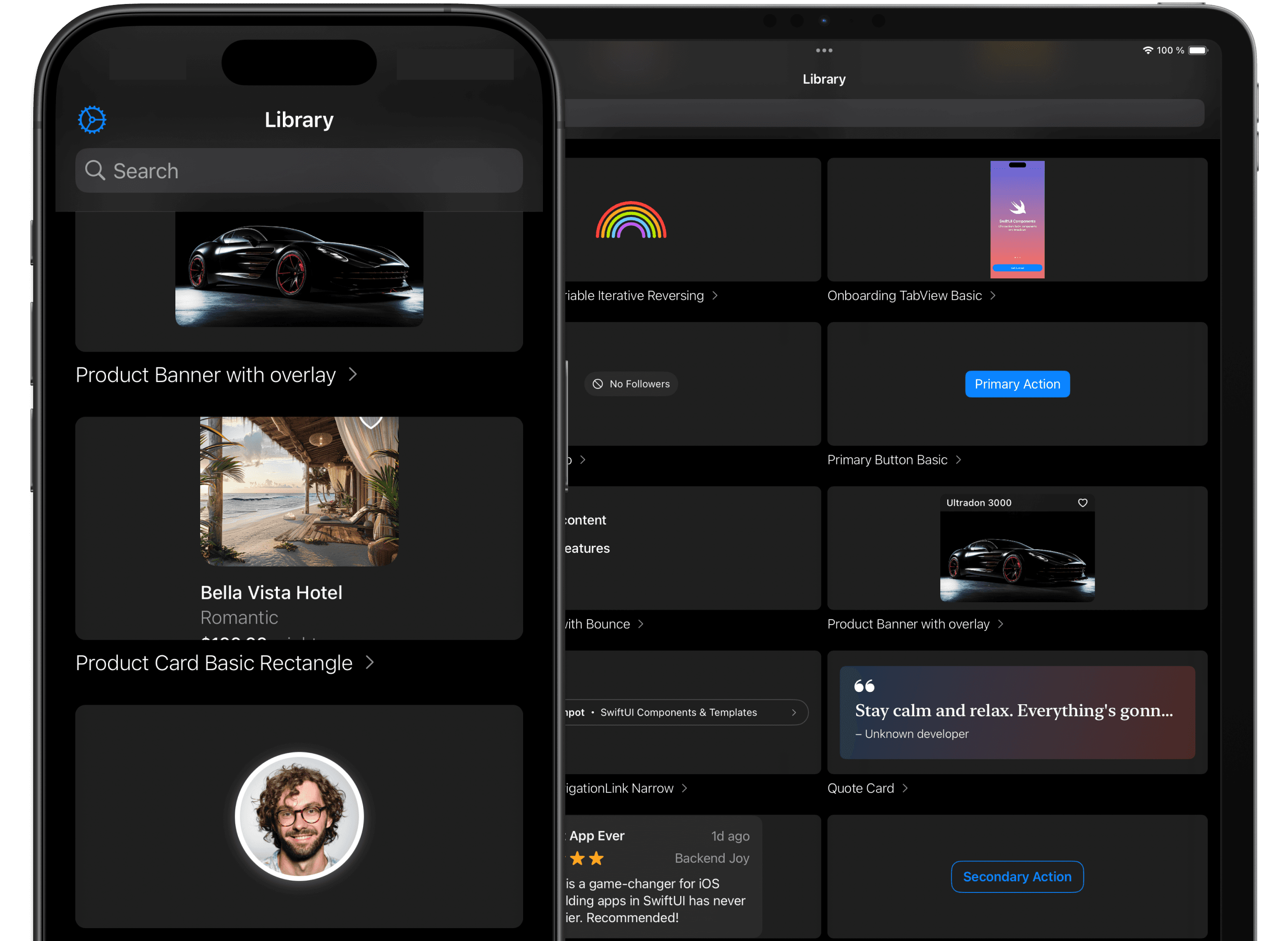
Compot is a developer tool for iOS and SwiftUI engineers, bringing together a hand-picked library of 100+ reusable SwiftUI components, an integrated code editor, and a personal AI assistant—all in a beautiful, productivity-centered iOS app. Compot helps developers move from idea to production faster, letting them browse, generate, and organize SwiftUI code with AI support, all without needing any extra package dependencies.
Project Duration
May 2024 – Present
The Product
Compot transforms the iOS development process with:
- SwiftUI Component Library: Explore, preview, and copy 100+ clean, production-ready SwiftUI components—from custom buttons and modals to onboarding flows and paywall screens.
- AI Code Generator: Instantly generate SwiftUI code by describing your UI in natural language or by uploading design screenshots.
- AI Coding Assistant: Get always-on AI help—ask questions, request improvements, debug issues, or extend code snippets directly in-app.
- No Dependencies: Copy and paste vanilla Swift code—no 3rd-party libraries, no lock-in.
- Collections: Organize saved code snippets and components for your workflow or team projects.
- Resource Discovery: Stay ahead with a curated feed of SwiftUI blogs, newsletters, and repositories.
- Seamless Editor: Edit, tweak, and refine components within the app before exporting to Xcode.
The Problem
iOS and SwiftUI developers face recurring challenges:
- Reinventing the wheel: Most projects need similar components, but finding reliable, flexible code is tedious.
- Bridging design and code: Translating Figma or hand-drawn ideas into SwiftUI is time-consuming, especially for solo developers or small teams.
- Debugging and documentation: Troubleshooting and improving UI code can stall productivity when working solo or learning.
- Fragmented Workflow: Swapping between resource sites, code editors, and chat assistants interrupts creative flow.
The Opportunity
- SwiftUI adoption is exploding: Many devs need fast solutions, especially prototypes and MVPs.
- Developers love focused tools: A dedicated mobile tool—library + code + AI—that fits right into their workflow.
- AI is a natural fit: Context-aware AI can help generate, explain, refactor, or debug code, dramatically reducing bottlenecks.
- Organizational features: Code organization and resource inspiration drive long-term value.
The Goal
Empower developers to build better apps, faster:
Unite crafted SwiftUI components, instant AI code generation, and always-available coding support in one mobile app—streamlining idea-to-shipping in days, not weeks.
My Role
Solo designer, SwiftUI engineer, and product manager. Owned every aspect: competitive research, UX/UI, AI model integration, code parsing/validation, testing, App Store launch, marketing.
Responsibilities
- Audited design systems and leading SwiftUI apps to curate a broad, high-quality component library.
- Designed a mobile-first, developer-friendly UI for browsing, searching, previewing, and exporting code.
- Integrated AI for both code generation (text/image-driven) and contextual code assistance (debug, explain, optimize).
- Built collection and organization features to match how developers work and revisit code.
- Aggregated and regularly refreshed high-value external developer resources.
- Tuned onboarding, marketing, and App Store positioning for a technical audience.
The Result
- Fast, frictionless code reuse: Developers can browse, preview, and drop tested SwiftUI code directly into their projects.
- From design to code in seconds: Natural language and screenshot input take the guesswork (and grunt work) out of UI prototyping.
- On-demand AI assistance: No context-switching—get answers, suggestions, or improvements right as you work.
- Personal code library: Organize by project, use case, or inspiration.
- No lock-in: 100% vanilla Swift code—no framework dependencies, totally flexible.
- Community-ready resources: Stay inspired and keep skills sharp with regularly curated learning channels.
What I Learned
- Developers trust tools that are open, transparent, and non-intrusive (no dependencies!).
- Code+AI’s value is maximized when assistance is instant, context-aware, and never interrupts flow.
- Organizational features and resource curation make the app not just a utility but part of a dev’s daily workflow.
- Clear, simple export to Xcode is critical—never lock users in, always empower them.
Takeaways
- Lowering barriers to high-quality UI code leads to better apps, faster launches, and happier users.
- Combining code resources, AI generation, and organizational tools unlocks a new level of developer productivity.
- Listening to real-world dev needs (from Reddit, Twitter, feedback) shapes the most relevant features.
- Product-led growth: developer word-of-mouth drives adoption and new ideas for the roadmap.
Ready to code at the speed of thought?
Compot is now available on the App Store.

Need a Senior Product Engineer?
I help founders and teams take ideas from concept and UX/UI design to high-performance native iOS implementation and App Store launch.